S1G
The original
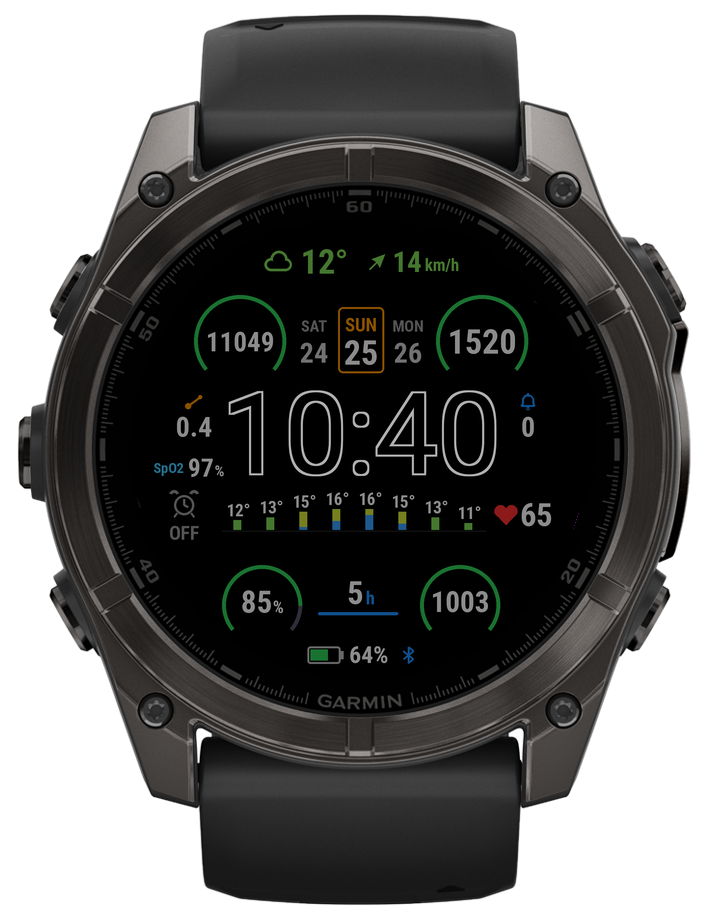
Everything you check during the day on one true-black face, readable at a glance. The face the collection started with.
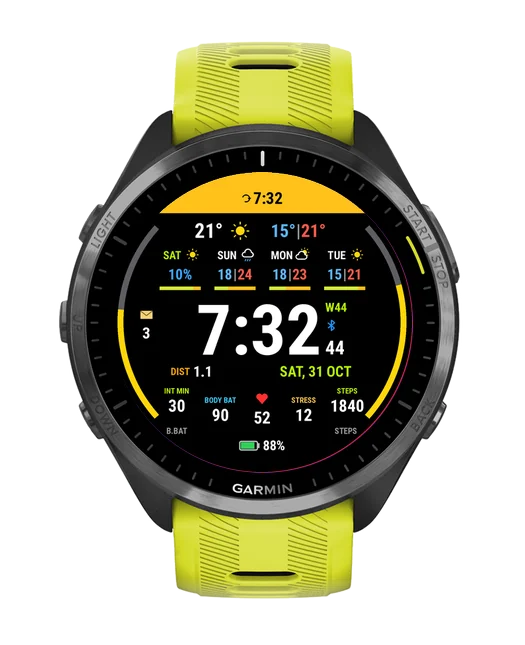
The everyday dashboard: four rings, a 3-day calendar, hourly or daily forecast, alarm status and phone link.
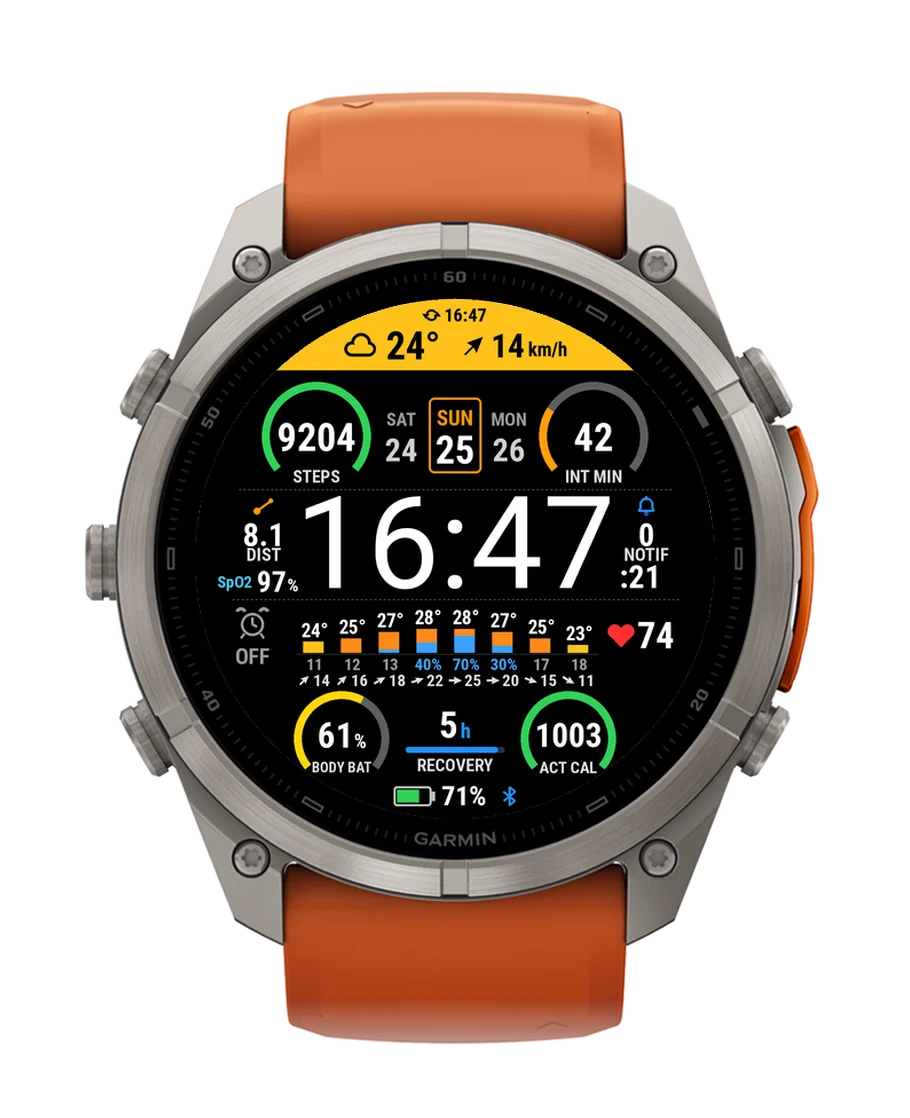
fēnix 9 Pro 51 mm
On the face
What S1G shows, and how it reads.
- Big clock and three daysSeconds if you want them, and yesterday, today and tomorrow with today highlighted.
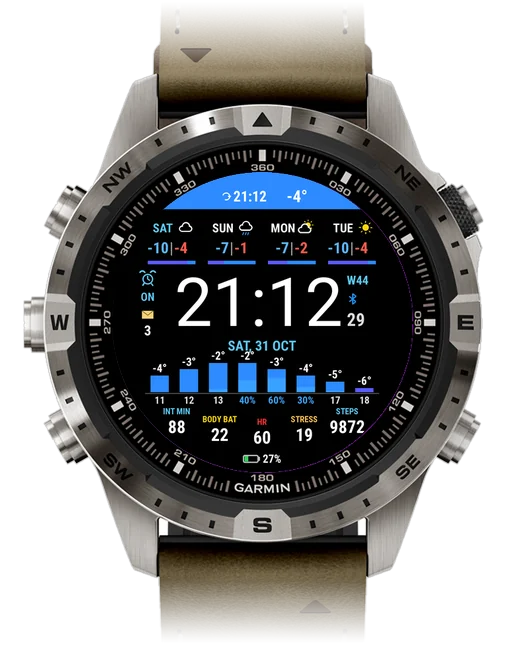
- A band in the colour of the weatherThe header turns from violet when freezing to red when hot, with conditions, wind or today’s low|high, and the last update.
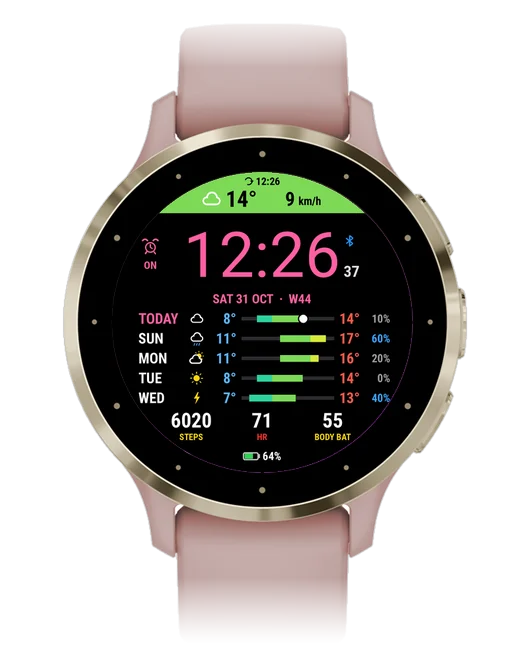
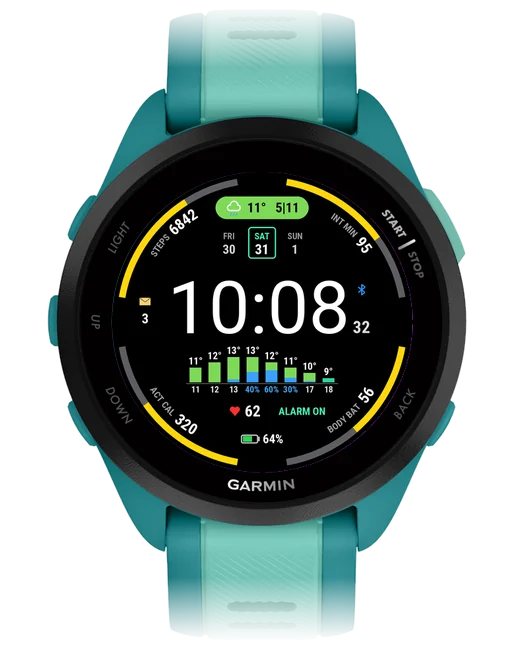
- Forecast by the hour or by daysBars on the same temperature scale, the blue part is the chance of rain; from 30 % it replaces the hour or day.
- Four rings that show progressSteps, intensity minutes, Body Battery and active calories by default; red to green as you go.
- A chart that stepsForecast, or your last 24 hours of stress, heart rate, Body Battery, Pulse Ox, altitude or pressure. Hold it to switch.
- Alarm, heart rate, recoveryThe alarm lit in your accent when set, live heart rate, recovery time, distance, notifications, battery and phone link.
Try it · forecast
By the hour, or by the day
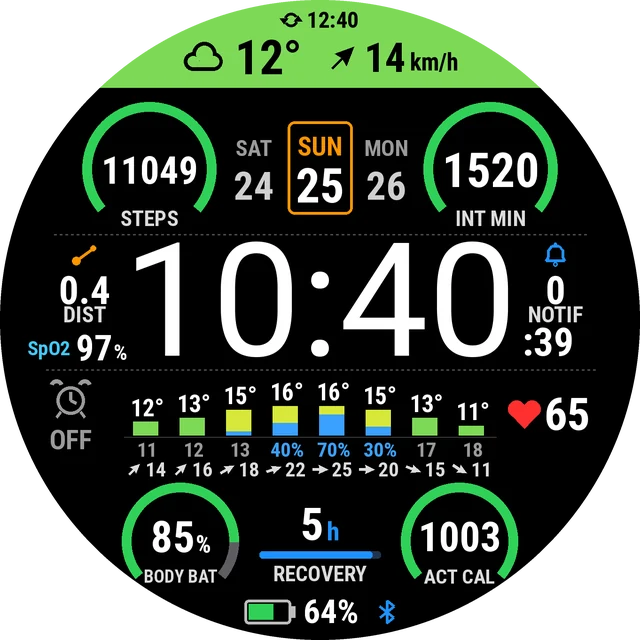
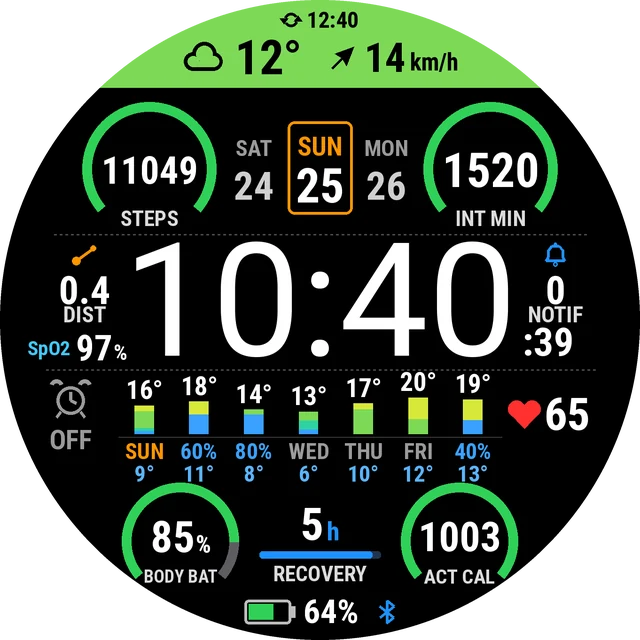
On the watch: touch and hold the forecast. The next eight hours with rain and wind, or the coming week as low–high bars with the chance of rain.
Forecast
Two ways to look ahead
The next eight hours with rain and wind: bars in the colour of the temperature, the blue part is the chance of rain, and from 30 % it replaces the hour.
Or the coming week as low–high bars on the same scale. Touch and hold the chart on the watch to switch, and to step through your 24-hour charts.
Always-on
The whole face, all day
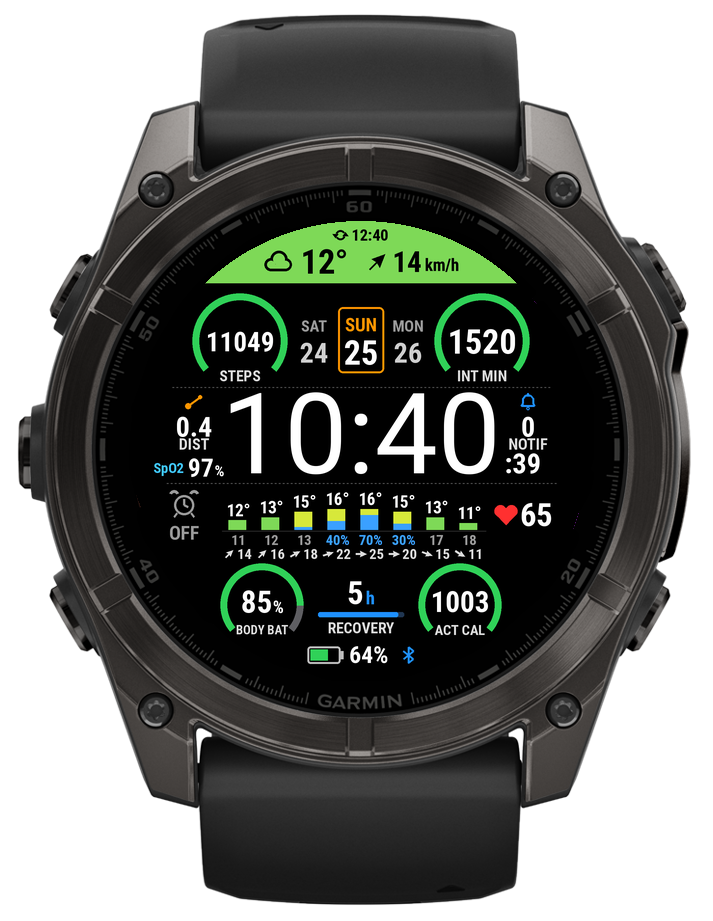
In always-on the full layout stays, dimmed and outlined, with brightness you set, and shifts a few pixels every minute against burn-in.
The craft
Like the rest of the collection
The colour of the weather
One temperature scale across every face, from violet frost to red heat — the band, the bars and the ranges all speak it.
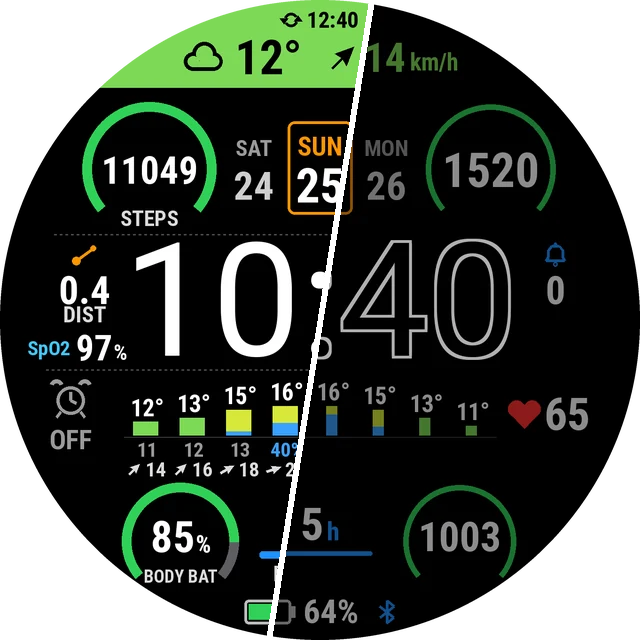
Full always-on
The whole layout stays on screen in always-on, dimmed and outlined, and shifts a few pixels every minute against burn-in.
Touch and hold
Hold a ring or the weather to open the watch’s own view. Hold the chart to step through forecasts and your 24-hour charts.
Your data, your colours
Five themes, fourteen accents, and every ring, arc and field set to the data you care about. Try them below.
Forecast that fits
Hourly with rain and wind, or by days with low–high ranges — chosen per face, switched with a touch.
Private by design
Everything comes from your watch. No accounts, no network calls, no tracking.
On ten watches
The same face, laid out for each screen. Every watch here shows its own time, weather and colours.
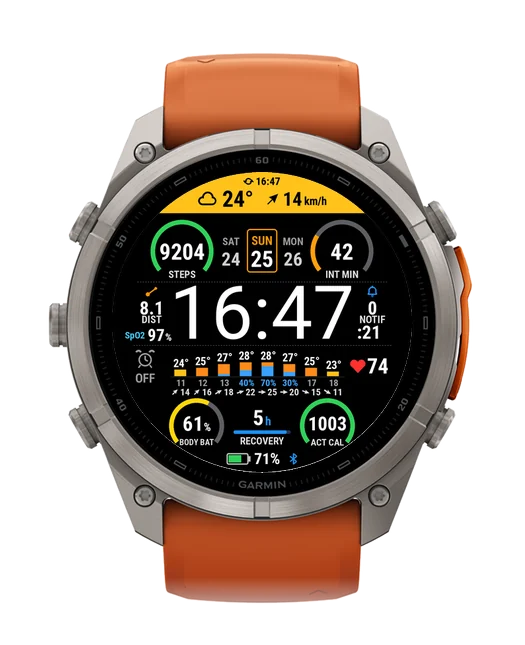
fēnix 9 Pro 51 mm 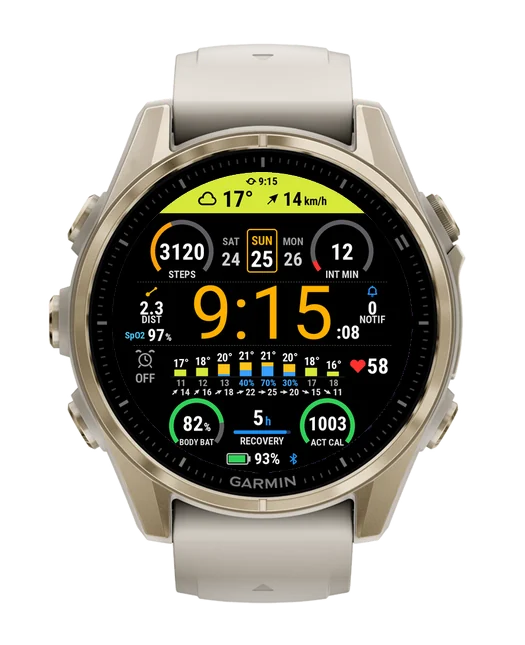
fēnix 8 43 mm 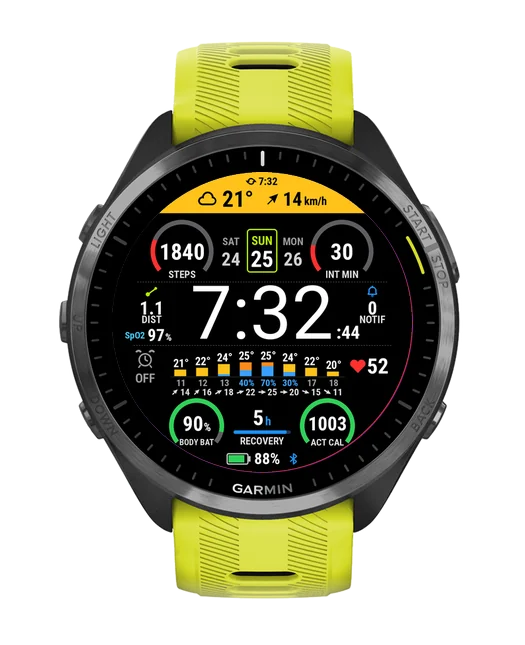
Forerunner 965 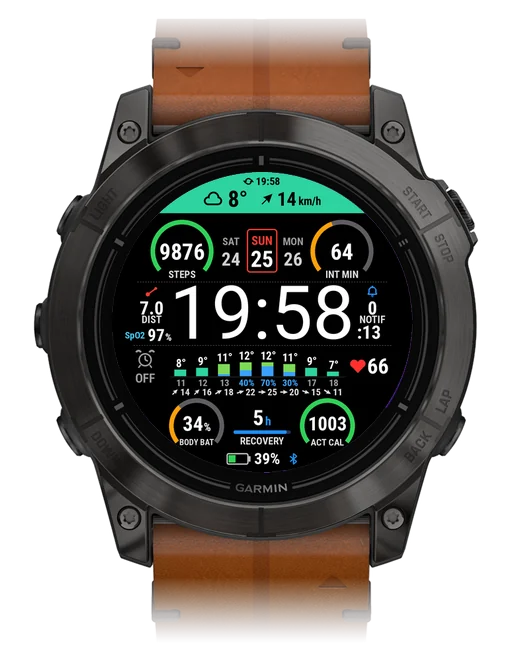
epix Pro 51 mm 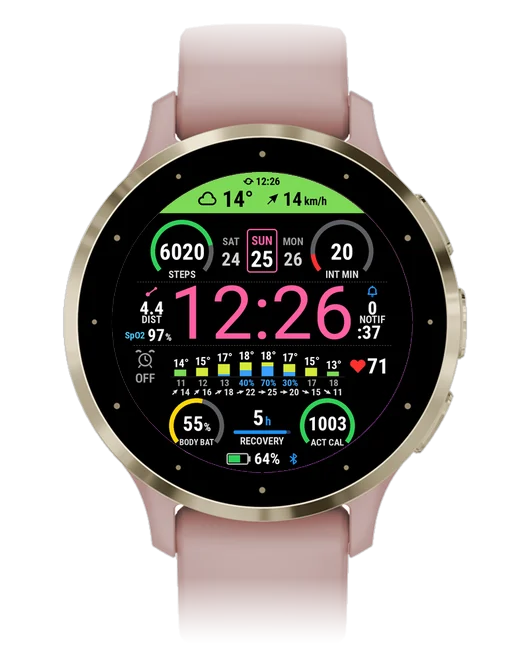
Venu 3S 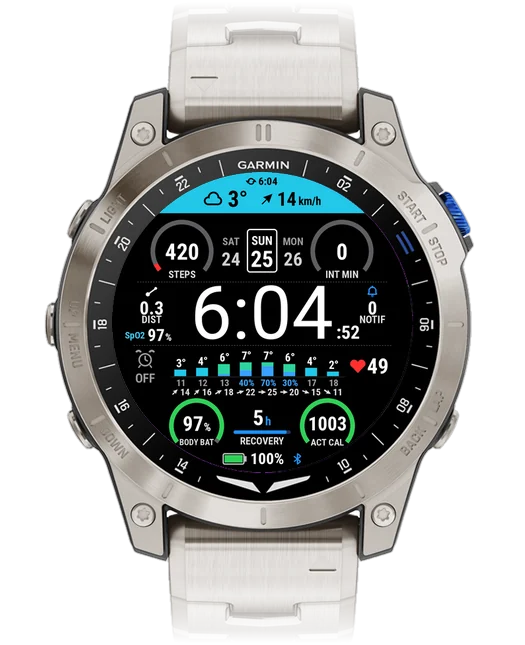
D2 Mach 1 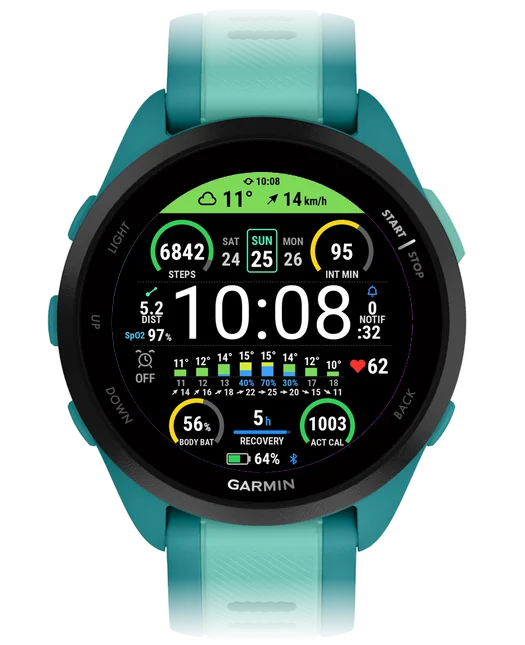
Forerunner 165 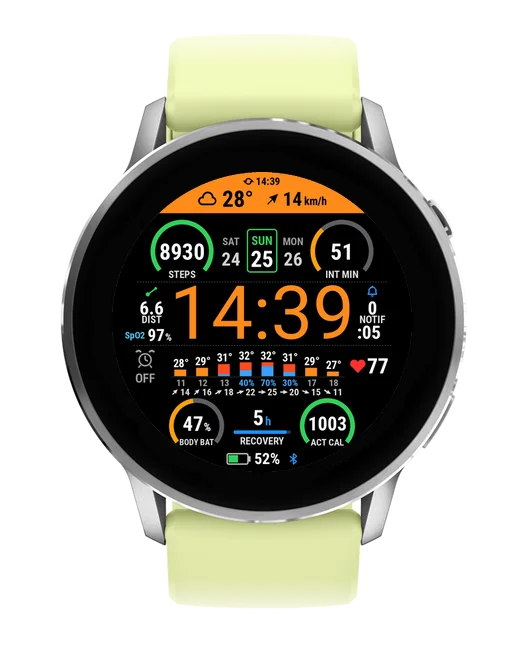
Venu 4 45 mm 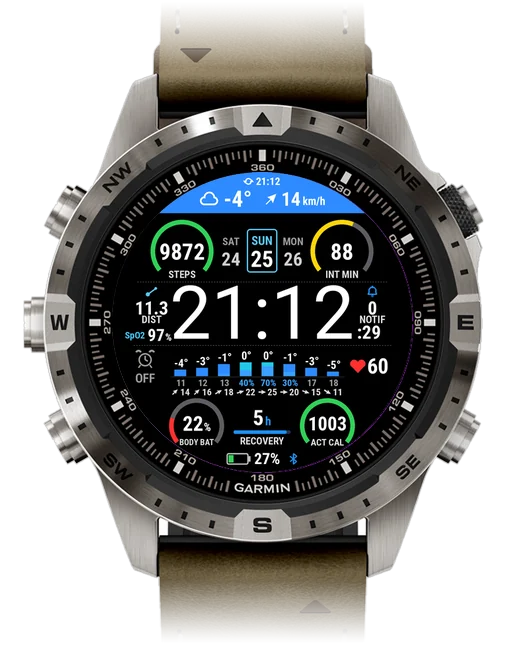
MARQ 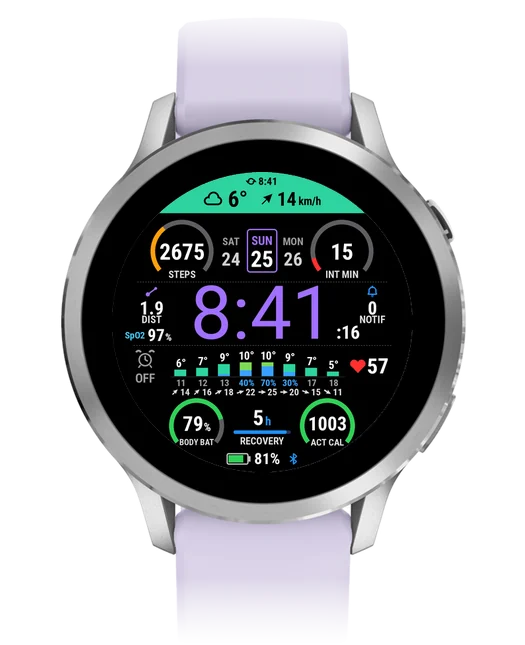
Venu 4 41 mm
Make it yours
On the watch: hold MENU on the face and choose Customize. Or open S1G in the Connect IQ app on your phone.
Try it · colours
Pick a theme and an accent
Settings
Everything you can change
- Ring 1–4
- Left of the time
- Right of the time
- Under the time
- Bottom centre
- Top band
- Chart
- Forecast by days
- Forecast step
- Wind in forecast
- Long press: also …
- Alarm status
- Theme
- Accent colour
- Clock colour
- Ring colour
- Top band colour
- Forecast bars colour
- Ring track
- Divider lines
- Always-on brightness
- Phone link icon
- Seconds
- Active calories goal
Compatibility
38 AMOLED watches
Round AMOLED watches with Connect IQ 4.2 or newer, including their tactix and quatix versions. English only.
- fēnix 9 / 9 Pro
- fēnix 8 / 8 Pro
- fēnix E
- epix Pro (Gen 2)
- epix (Gen 2)
- Forerunner 970
- Forerunner 965
- Forerunner 570
- Forerunner 265 / 265S
- Forerunner 170
- Forerunner 165
- Forerunner 70
- Venu 4
- Venu 3 / 3S
- vívoactive 6
- MARQ (Gen 2)
- D2 Mach 2
- D2 Mach 1
- Approach S70
- Descent Mk3